
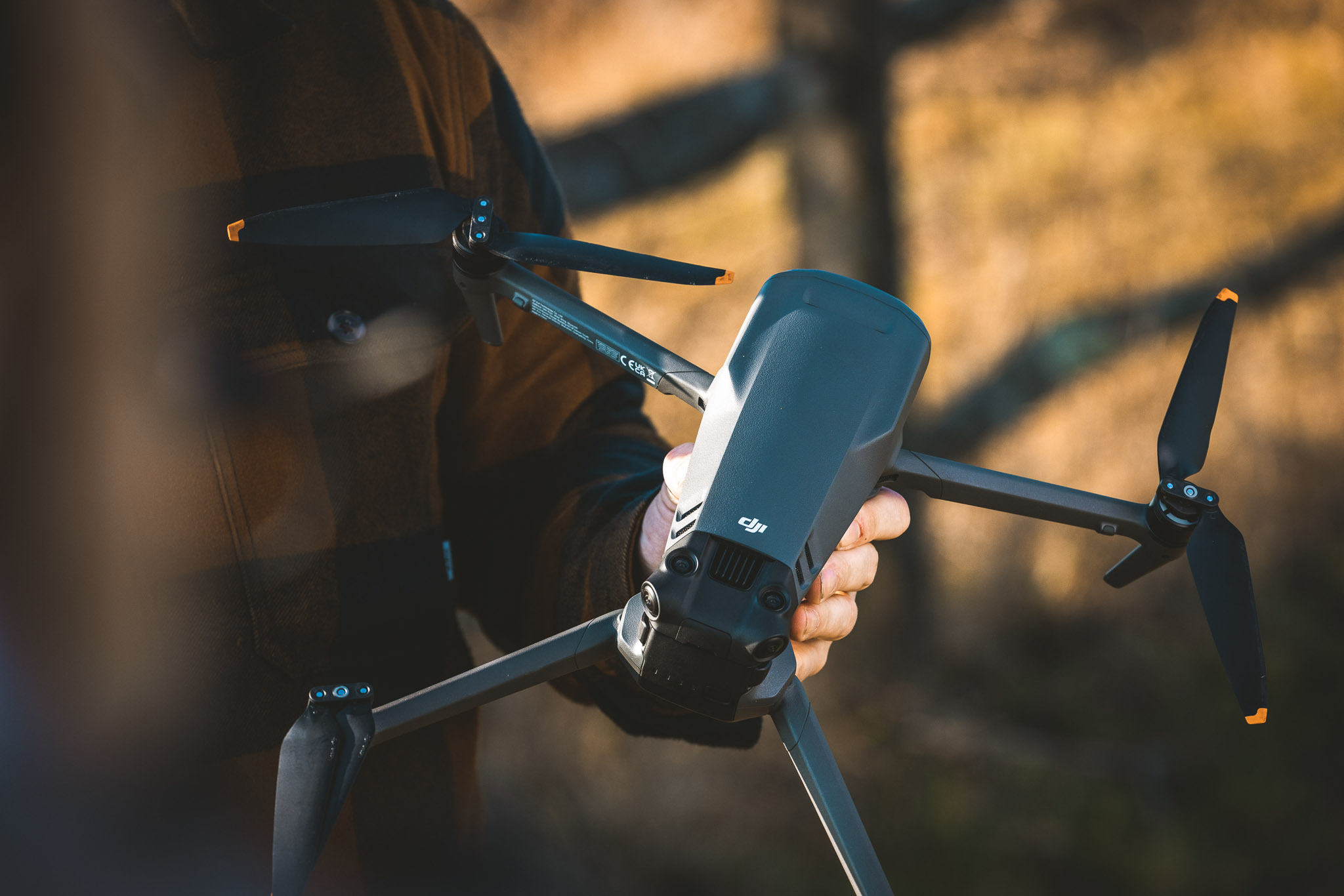
The DJI Mavic 3 is a premium consumer drone that DJI launched in November 2021. It weighs 895g and pairs a 20MP Four Thirds Hasselblad camera with a 162mm telephoto camera, records 5.1K video and flies for up to 46 minutes per battery.
It was a major upgrade on the Mavic 2 Pro. The Mavic 3 Pro, Air 3S and Mavic 4 Pro have since overtaken it on features, but its large sensor is still great for most jobs. DJI no longer sells it new, so in 2026 it's a drone you buy used for a much friendlier price, without really compromising on specs.
Filmmaker and videographer Will Chidlow flew the Mavic 3 for our YouTube review (below), alongside footage from Andy Unwin, Ian Howorth and Connor Redmond. Below, we cover how its image quality compares with newer drones, what years of firmware updates have changed, the rules for flying an 895g drone, and who should buy one today.
https://youtu.be/Q8GWNZm0k4E?rel=0Specs
Dual Hasselblad camera system
20MP CMOS Four Thirds main sensor
24mm equivalent focal length with variable aperture from f/2.8 to f/11
Secondary tele camera with 162mm equivalent focal length at f/4.4
5.1K video at 50p, 10-bit 4:2:2 colour, 200 Mbps video bitrate
Three-axis gimbal with 90° downward and 35° upward tilt
Pros
Four Thirds sensor with flexible 10-bit D-Log footage
Firmware has added most features missing at launch
Omnidirectional obstacle sensing and AirSense
Up to 46 minutes of flight time with nearly 10-mile transmission range
ActiveTrack makes smooth tracking shots easy
Cons
Discontinued, so firmware support will eventually end
895g means more rules than a sub-250g drone
Small-sensor telephoto struggles in poor light
Slight sharpness fall-off towards the frame edges
No native vertical shooting
Used DJI Mavic 3
Who is the DJI Mavic 3 for?
The DJI Mavic 3 is best for enthusiasts and filmmakers who want great image quality with long flight times without paying for a current flagship. It suits people who grade their footage and often pair drone footage with professional level video cameras. You'll also need to be comfortable with the extra rules that come with an 895g drone.
If you are buying your first drone and are more of a beginner, then we recommend checking out the DJI Mini series of drones first, we have you covered with our DJI Mini 5 Pro review. These are sub 250g drones that are less complicated to get started with.
Video
Let’s be honest, most people are interested in using drones to shoot video, either to add value to what they normally shoot or to capture perspectives once reserved for helicopters. So, when it comes to recording, the Mavic 3 is a very capable drone, and probably more than enough for most people.
We get a maximum resolution of 5.1 K at 50p, recording at 200 megabits per second and capturing 10‑bit 4:2:2 colour. Which is enough for many professional use cases, and a welcome feature that tips this drone over the edge from consumer to professional/enthusiast.
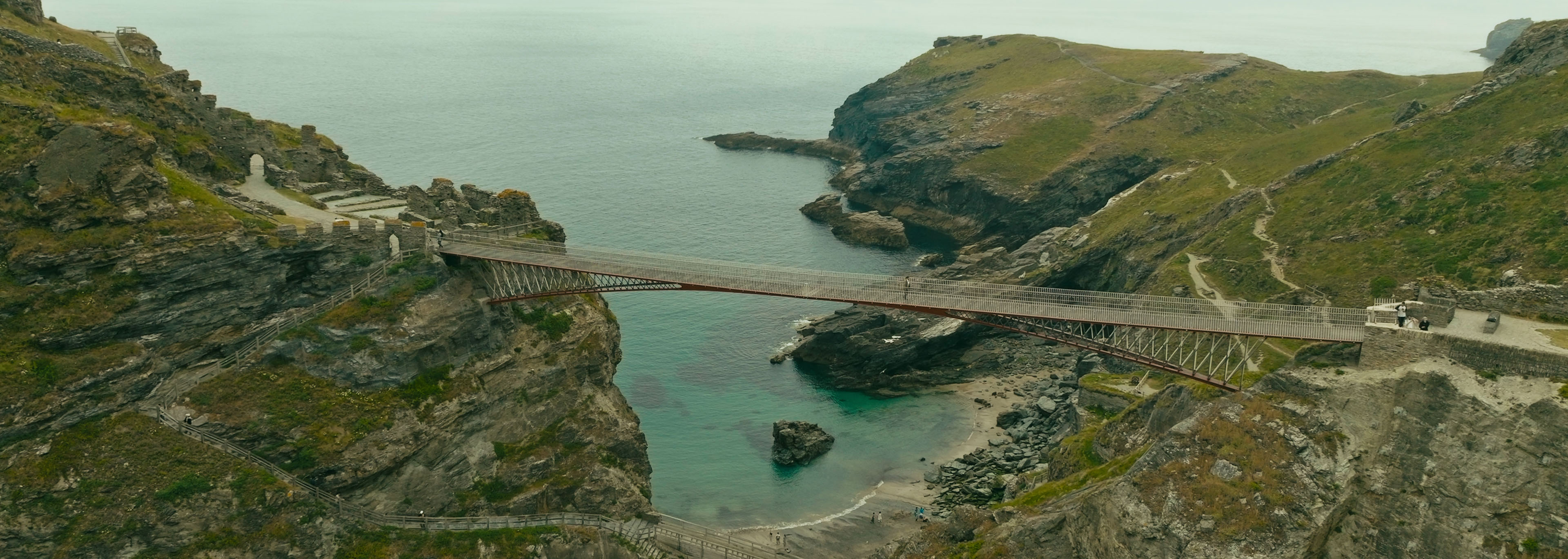
Connor Redmond | DJI Mavic 3 | Graded sample from Mavic 3 D-log footage
The big resolution is great here because it gives you flexibility to crop in or recompose your shot slightly in the edit. The 4:2:2 colour is also really flexible for colour grading, allowing you to create more creative ‘cinematic’ looks and different styles within your edit.
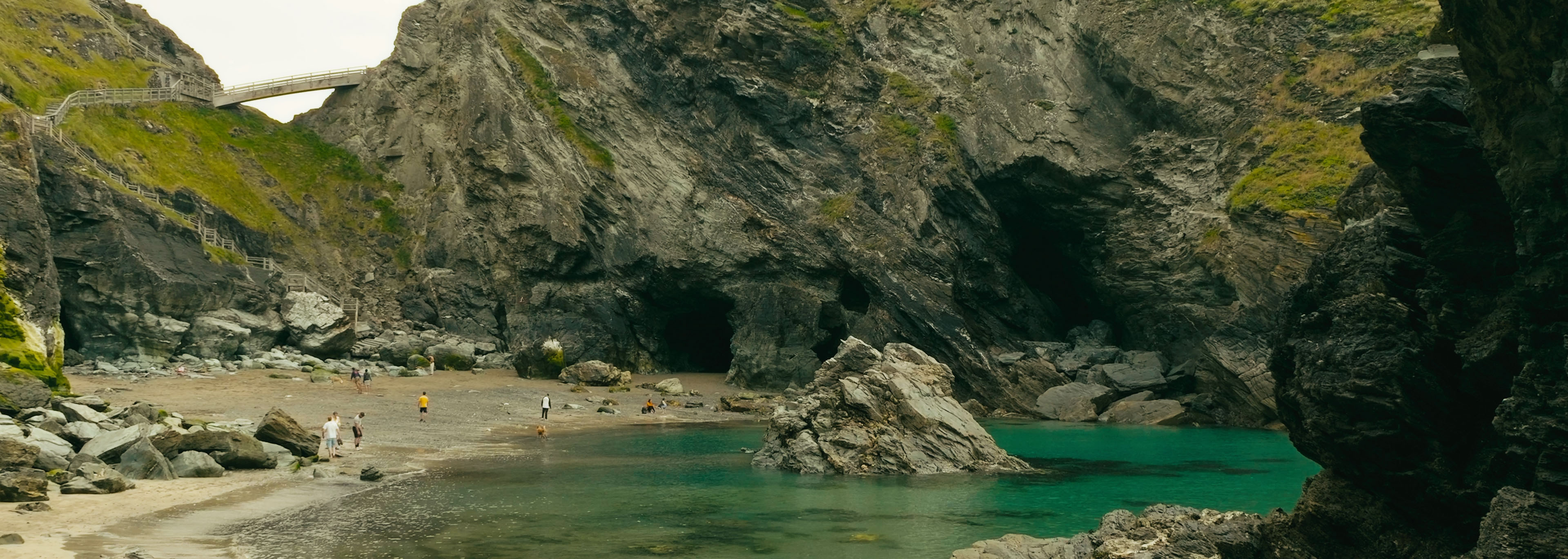
Connor Redmond | DJI Mavic 3 | Graded sample from Mavic 3 D-log footage
Arguably most important, the D-log on the Mavic 3 lets you match the look of your on-the-ground cameras accurately, helping create a cohesive look. Before D-log, it was really obvious that it was drone footage, with that overly sharpened digital look.
Sample D-log Graded Clips
Here is a collection of sample clips shot in various locations, all in D-log and graded so you can see what the DJI Mavic 3’s video quality looks like.
https://youtu.be/q5hrEQHx71gBest Video Settings
Getting the video settings right and the exposure correct are essential for capturing the best possible files later, when you come to edit and grade.
We will always want to shoot in D-Log for the best possible quality. Here is a helpful chart showing the extra dynamic range and latitude you get when you shoot in D-Log. Helpfully provided by DJI.
Tip: For the most ‘cinematic’ and smooth footage, you should really keep the shutter speed twice the frame rate and lock the ISO, as a rule.
Let’s break down the best Mavic 3 video settings:
Colour: Set to D-Log for best colour depth and dynamic range.
Colour Display Assist: Turn this setting on; it helps give you an impression of the final look by making the preview more similar to it.
Coding Format: Choose H.265 for the most efficient compression format.
Format: Choose MP4 for the best container, not much difference between MP4 and MOV anyway.
Bitrate: Choose CBR for a constant bitrate, which provides consistent quality.
Anti-Flicker: If you shoot mostly outdoors landscapes with no street lights, then you do not need to worry about this setting. Turn to Auto.
Histogram: Keep off for fewer distractions on screen, but turn on if you really need to nail the exposure.
Zebra stripes: This is a personal preference, but they can be quite visually distracting, so casual shooters would recommend keeping this setting off.
Framelines: Personal preference again, but can be distracting, but also useful if you are shooting for different aspect ratios.
Peaking Level: Another visual distraction; it shows what is in focus with little white dots, but I don’t think it is necessary for most people.
White Balance: Set to manual so it does not change constantly while filming, thereby changing the colour.
Cache When Recording: When turned on, this setting records footage to your phone as a backup. I recommend keeping it off unless your phone has a lot of storage.
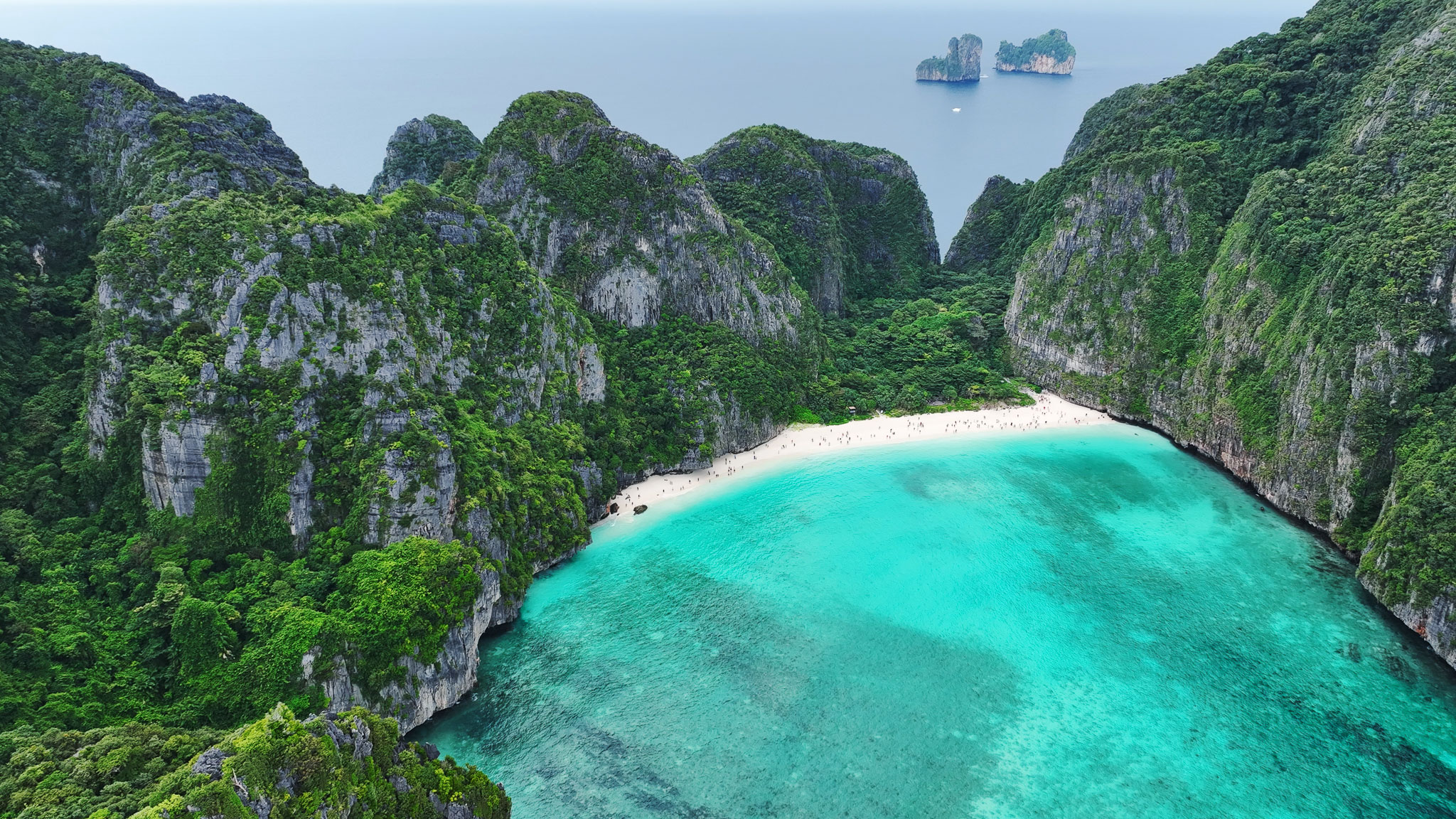
Andy Unwin | DJI Mavic 3 | Graded sample from Mavic 3 D-log footage
Those are recommended video file settings, but here are the best exposure settings while recording as well.
When shooting D-log, we want to overexpose the footage a little to make colour grading later easier. So we want to hover on the M.M setting around +0.3 to +1.3.
Resolution: Set to 5.1k for maximum quality and flexibility.
Frame Rate: This will depend heavily on personal preference, but we like to film at 50 fps and slow it down to 25 fps for a smoother look. But 24/25 fps is fine (and standard) as well.
ISO: Lock ISO at 400 for the best-looking footage and dynamic range.
Shutter Speed: Keep the shutter speed at least 1/100 to keep the footage smooth (or double the frame rate).
Aperture: This is the setting that can change the most, as we are locking the ISO and shutter speed.
Exposure Compensation: ‘M.M’ is DJI’s exposure compensation terminology; keep it to a range of +0.3 to +1.3 when shooting in D-log.
These settings will help you to get professional-looking drone footage. The aim here is not to have the camera make too many decisions, so the footage stays consistent and easy to work with. With that said, if you are just starting your journey with drones, it is totally fine and recommended to turn everything to auto, and let the camera do the heavy lifting so you can concentrate on flying. The footage still looks good straight out of the camera; it is just less flexible to work with.
If you want to learn more about colour, then check out our 8-bit vs 10-bit guide.
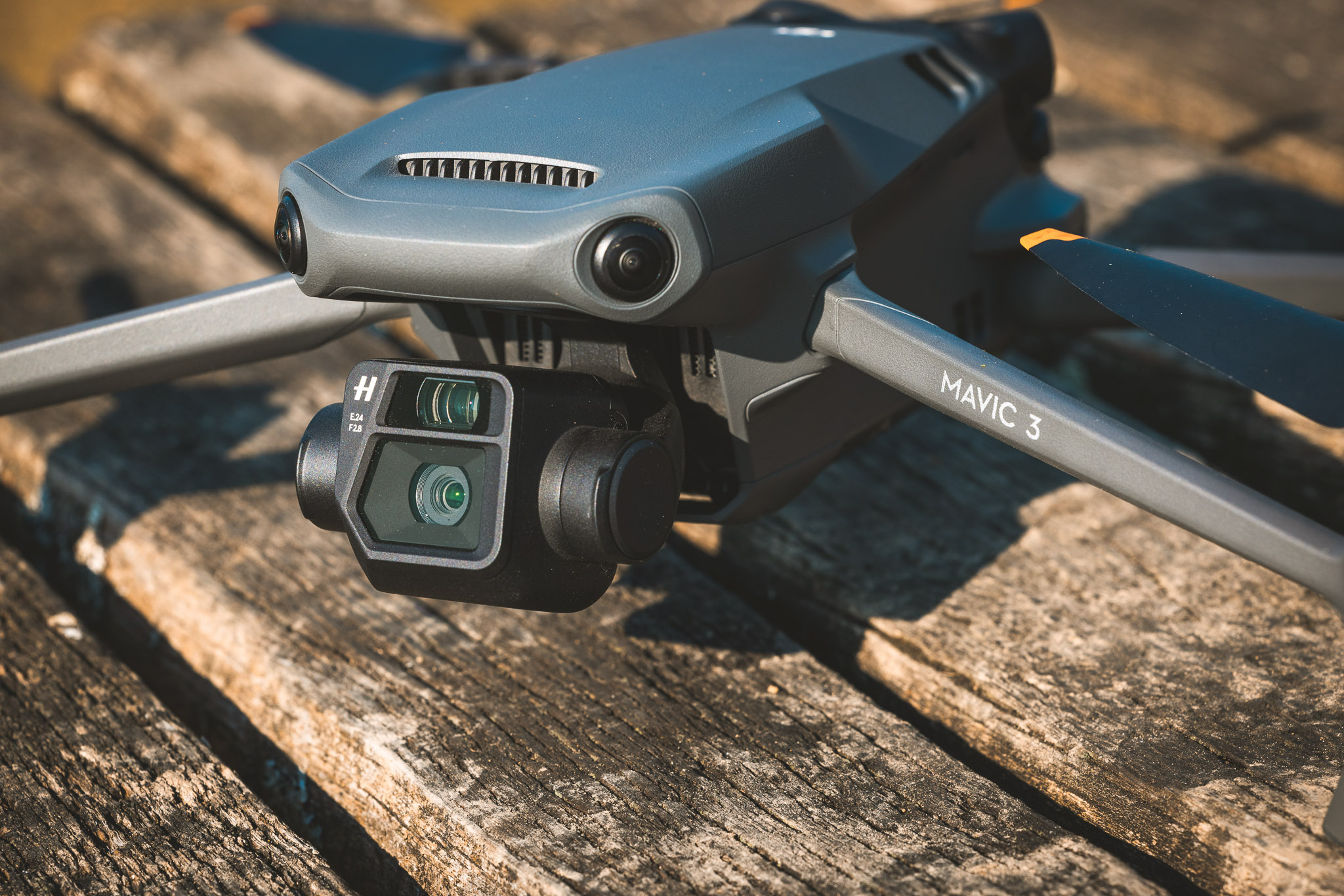
Used DJI Mavic 3
Photo
The DJI Mavic 3 is a very capable drone for both aerial photography and video. So we have broken it down into two sections.
Taking photos
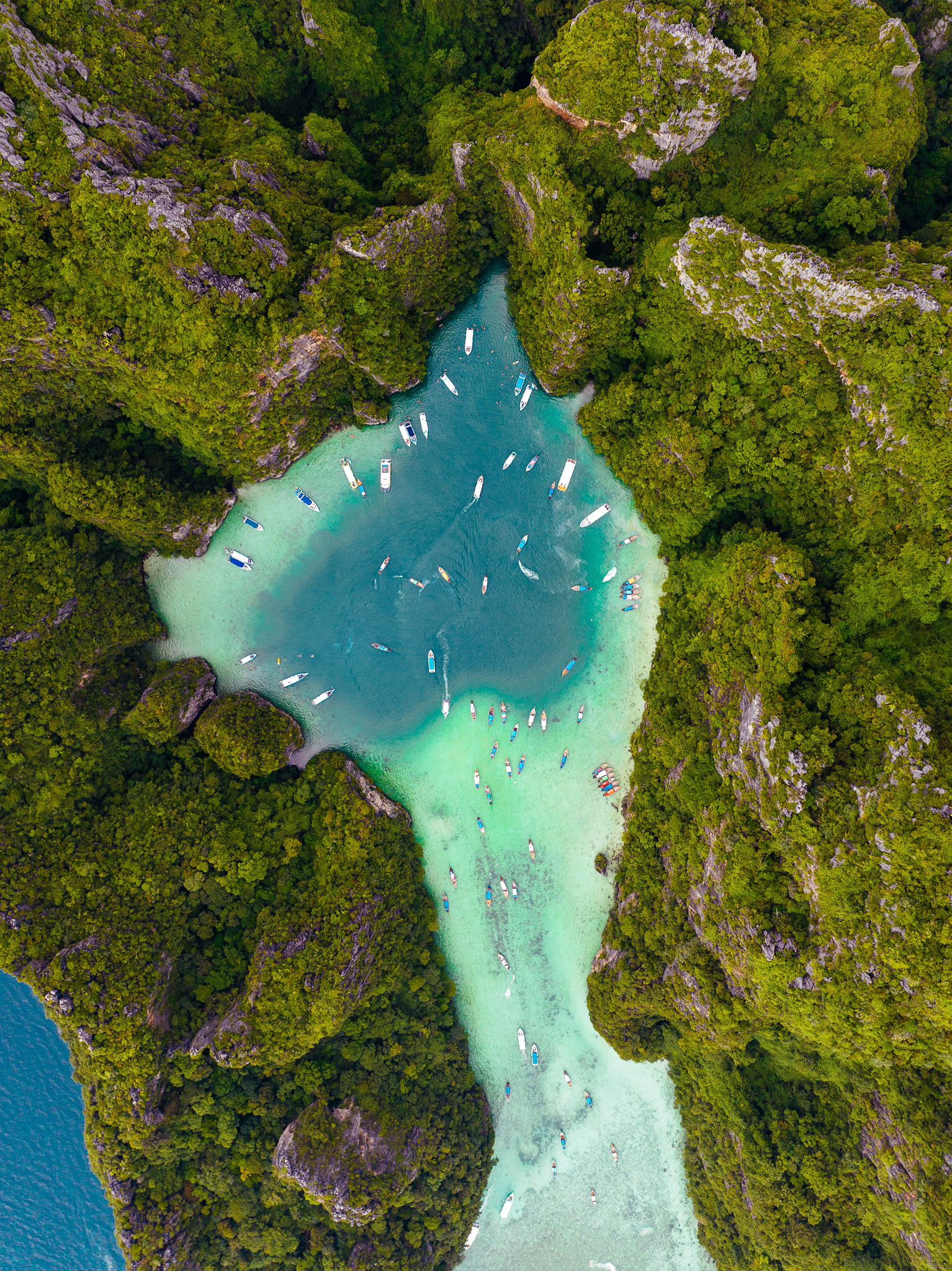
When it comes to taking photos with the Mavic 3, you’ll find dual Hasselblad cameras. The main camera is equipped with a 20‑megapixel CMOS Four Thirds sensor, which, for a drone, is a pretty large sensor and a welcome change. The main lens has a focal length of 24mm and a variable aperture from f/2.8 to f/11, with auto and manual focus from 1 metre to infinity.
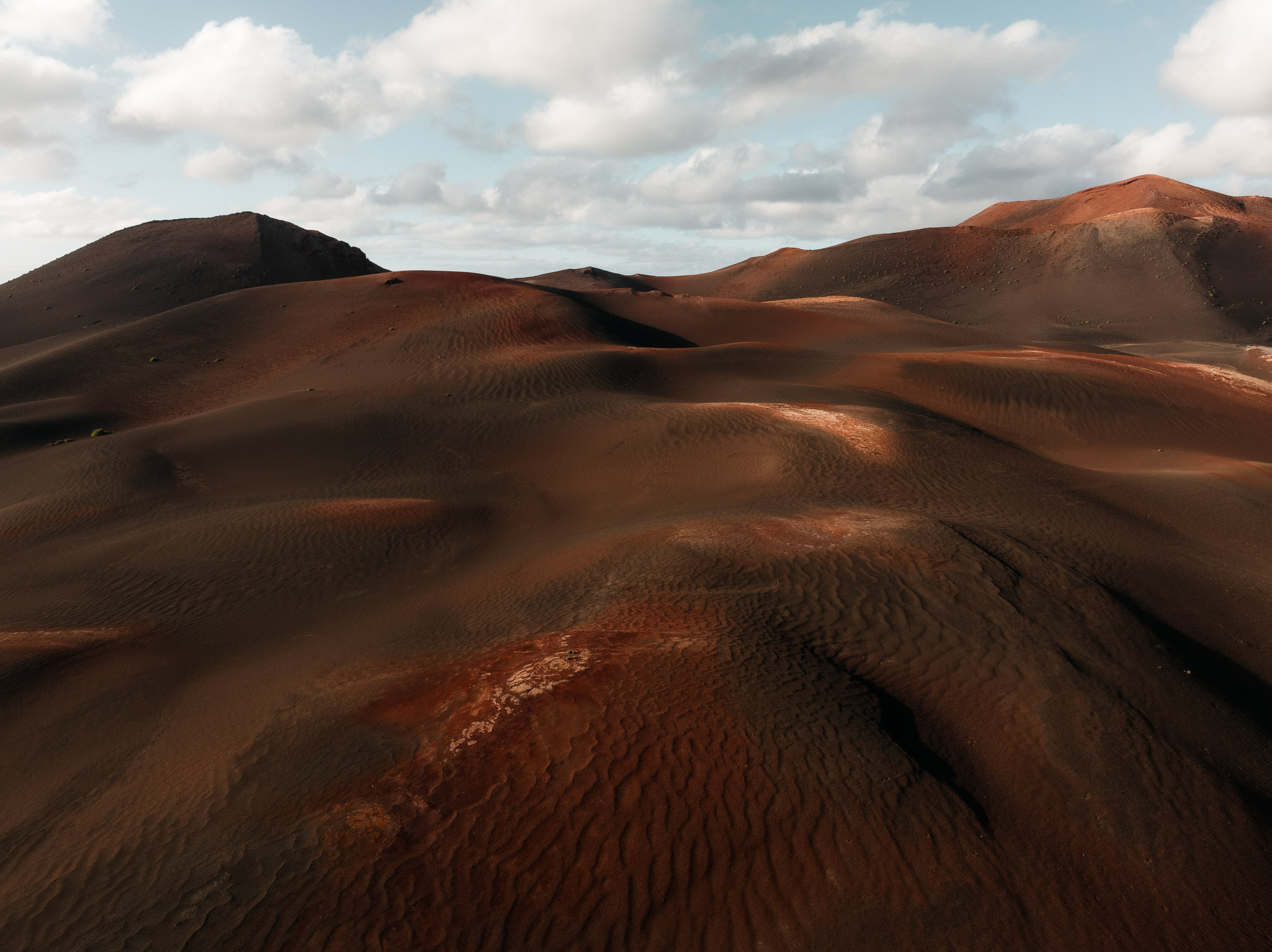
Ian Howorth | DJI Mavic 3 | 12.3mm | f/7.1 | 160 sec | ISO 400
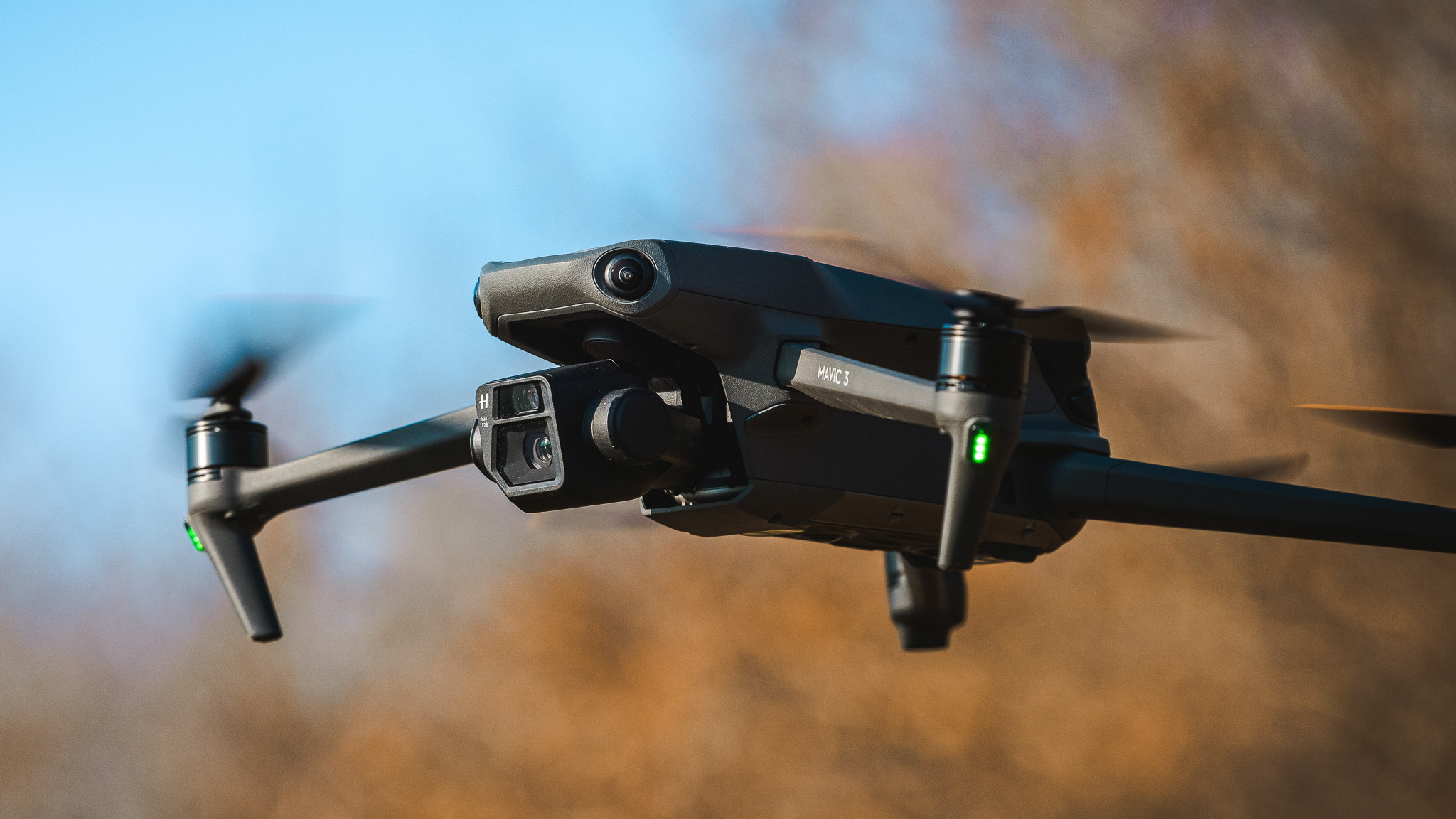
The Mavic 3 also features a secondary zoom lens. This lens is equivalent to 162mm, with a max aperture of f/4.4. This feature can be activated in the drone’s Explore mode and is perfect for looking for potential shots in your area, like a hawk on the lookout for prey.
Andy Unwin | DJI Mavic 3
Outside of photography, the feature has already been adopted by farmers, surveyors and amateur search-and-rescue teams, among others.
If you are interested in more aerial drone photography, then check out drone photography with Adam Parkinson for some tips and inspiration.
Used DJI Mavic 3
Performance
Autofocus
To help speed up the Mavic 3’s autofocus, DJI have introduced what they call the Vision Detection Autofocus system. This taps into all the drone's sensors, so in theory it speeds up autofocus. In testing and real life, it has given us really crisp images and video. No complaints here.
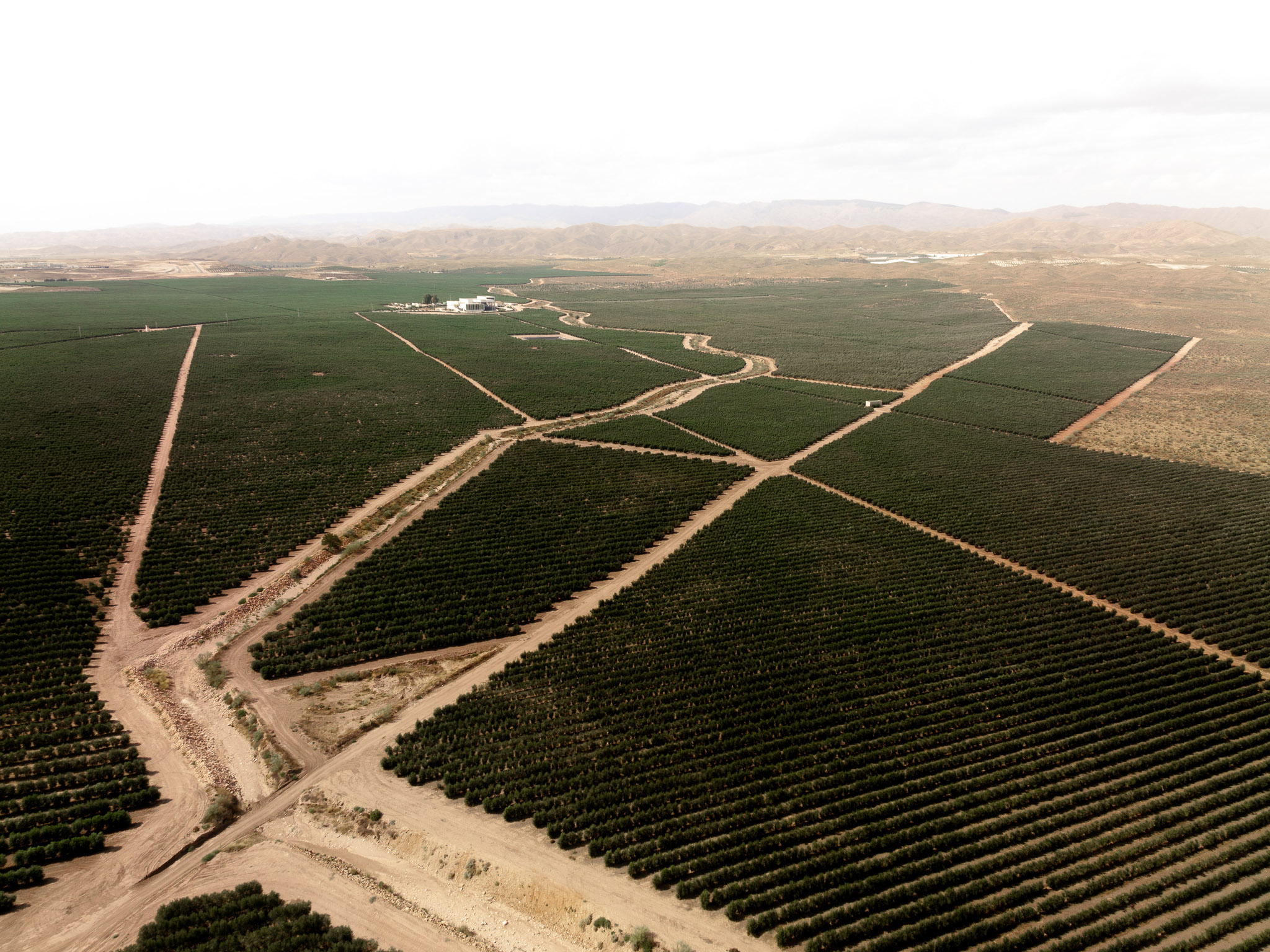
Ian Howorth | DJI Mavic 3 | 12.3mm | f/4.0 | 1/3200 sec | ISO 400
Drones tend to benefit from the fact that a lot of the time they are filming wide landscapes, so autofocus is less of a difficult task for the processor, as it does not really have to do or track much.
But when it comes to tracking a person or vehicle on the ground, the DJI Mavic 3 is very good at it as well. That is where ‘ActiveTrack’ comes in.
What is ActiveTrack?
The Mavic 3 uses DJI’s ActiveTrack, a particularly useful feature for capturing smooth, cinematic shots while tracking objects in the scene. It is a surprisingly easy feature to use and understand. It feels like using a phone by selecting objects on screen, it detects, you see a yellow box appear, and you can then track it.
You can choose to do various things with the tracked objects, such as a 360° orbit. Combined with the more powerful obstacle‑avoidance systems in the Mavic 3, it provides extra peace of mind for people less confident in manual flying and allows for some really lovely shots that aren’t too difficult to achieve.
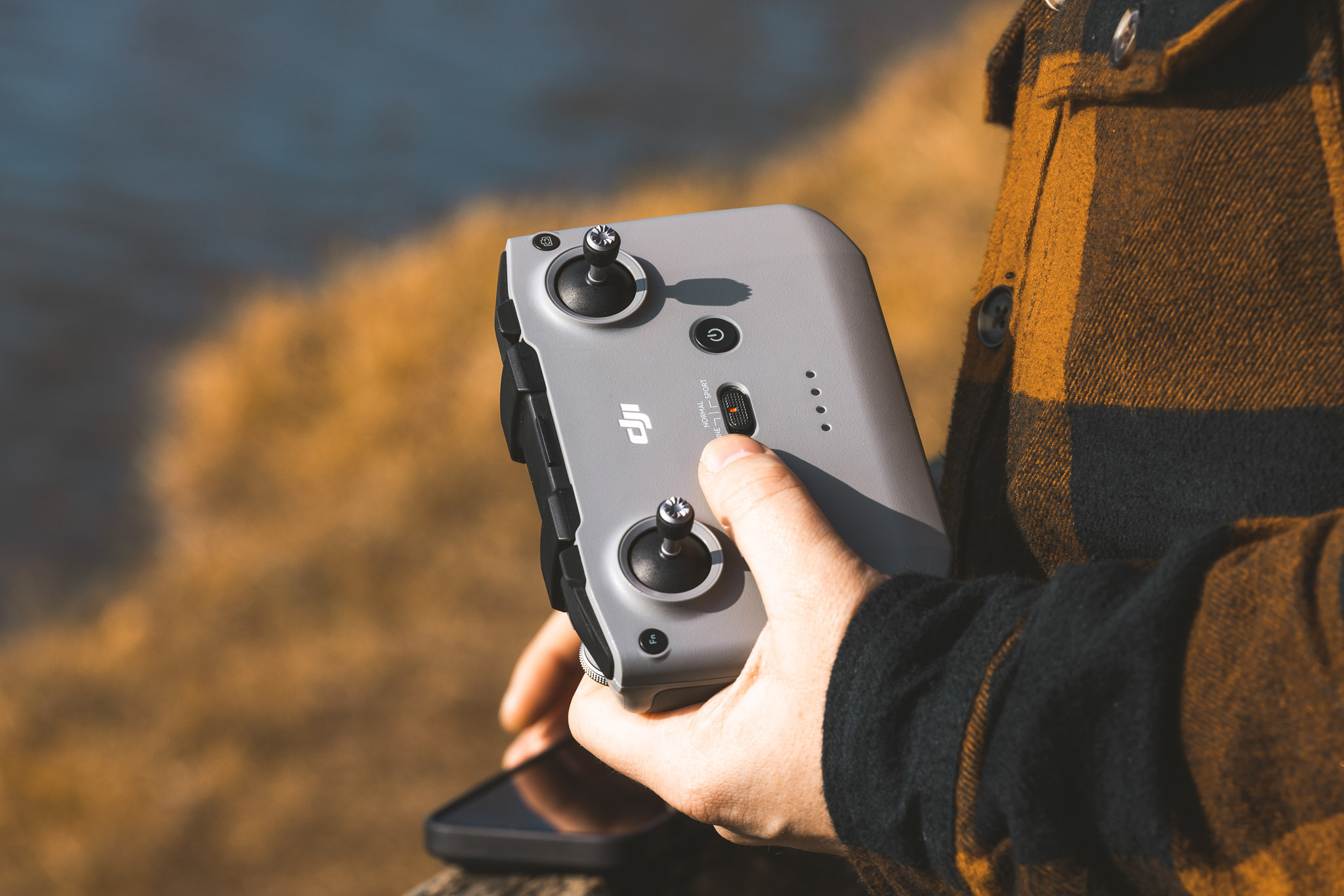
Used DJI RC‑N1 remote control
Handling
When it comes to controlling the Mavic 3, there are a couple of options. An RC‑N1 remote control is included, allowing you to use your own phone as a screen and interface. This is a great upgrade over the Mavic 1 or 2 remotes, particularly with the phone placed above the joysticks instead of below. It is a comfortable controller to hold.
For those wanting something a little more premium, there is also the Pro Controller, which features a built‑in screen. It is a lovely controller to use with a very high‑quality display. It also feels incredibly responsive compared to previous DJI drones.
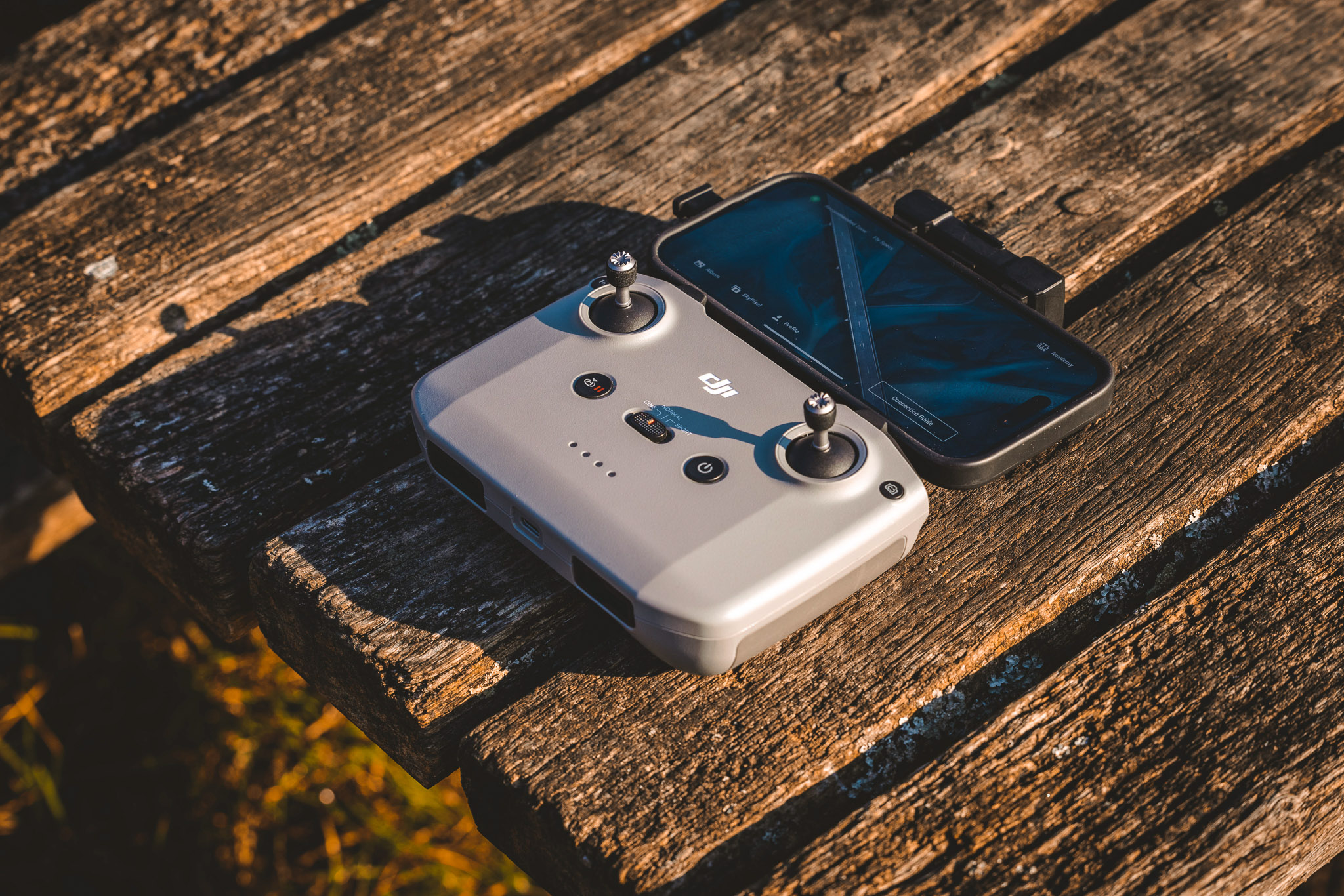
Used DJI RC‑N1 remote control
Both controllers have really good battery life and recharge quickly. The main advantage of the Pro Controller is its built‑in display and stronger connectivity, so you don't need to use your phone or deal with notifications while flying. Ultimately, this comes down to personal preference and whether you want to spend extra for the Pro Controller.
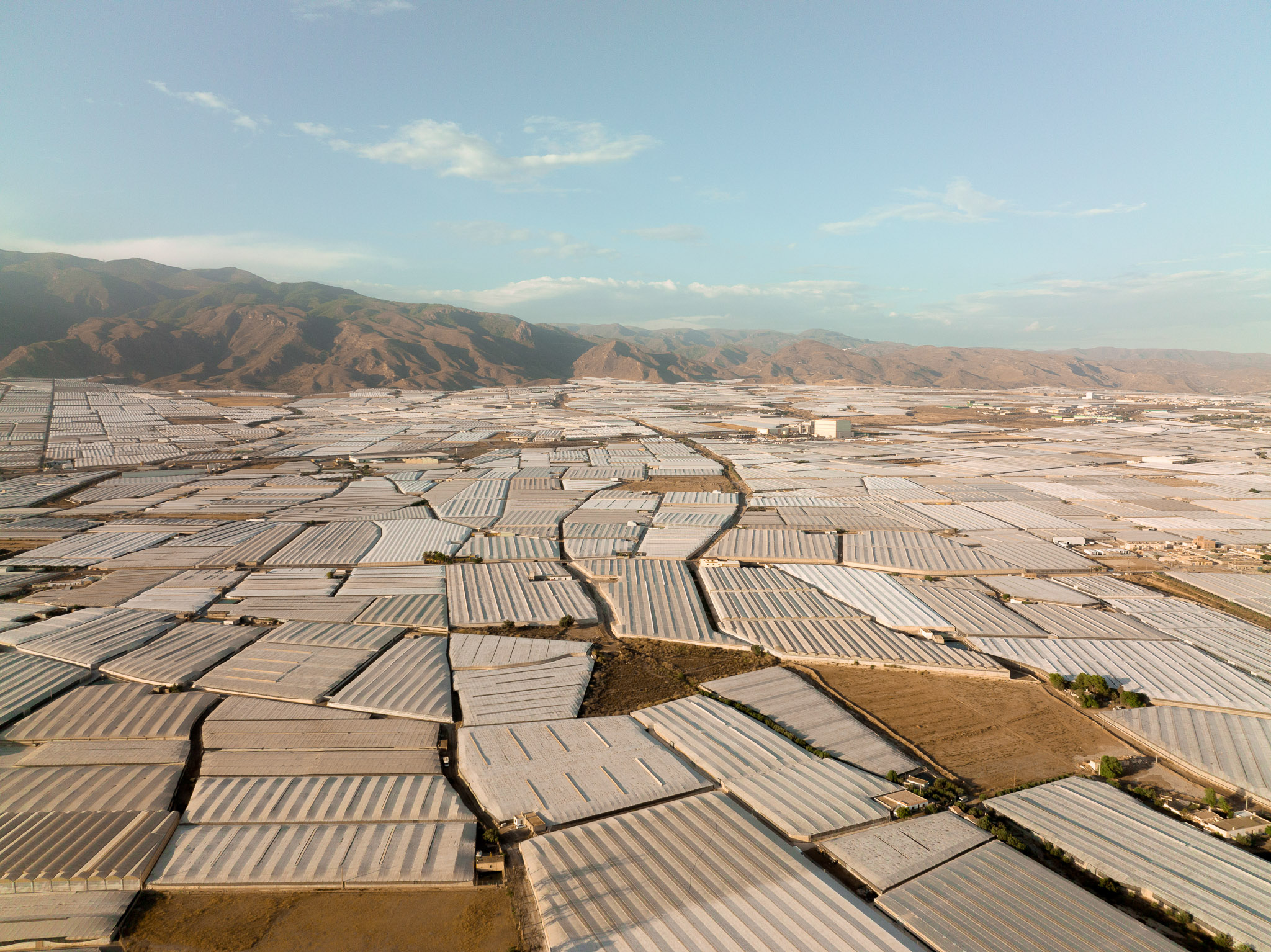
Ian Howorth | DJI Mavic 3 | 12.3mm | f/4.0 | 1/3200 sec | ISO 400
When it comes to handling Mavic drones, the drone itself is limited in terms of speed and movement to aid the camera and generally be friendly to pilot. But if you want something with less of a guardrail, then FPV drones may interest you. We did a whole DJI Avata vs Avata 2 comparison video and article to show you how FPV drones work and how they can be used.
Flight Performance and Modes
When flying the Mavic 3, it starts up super quickly and is very easy to use. The controller connects to the drone without any problems, and there are three modes to choose from: Cinema, Sport and Normal.
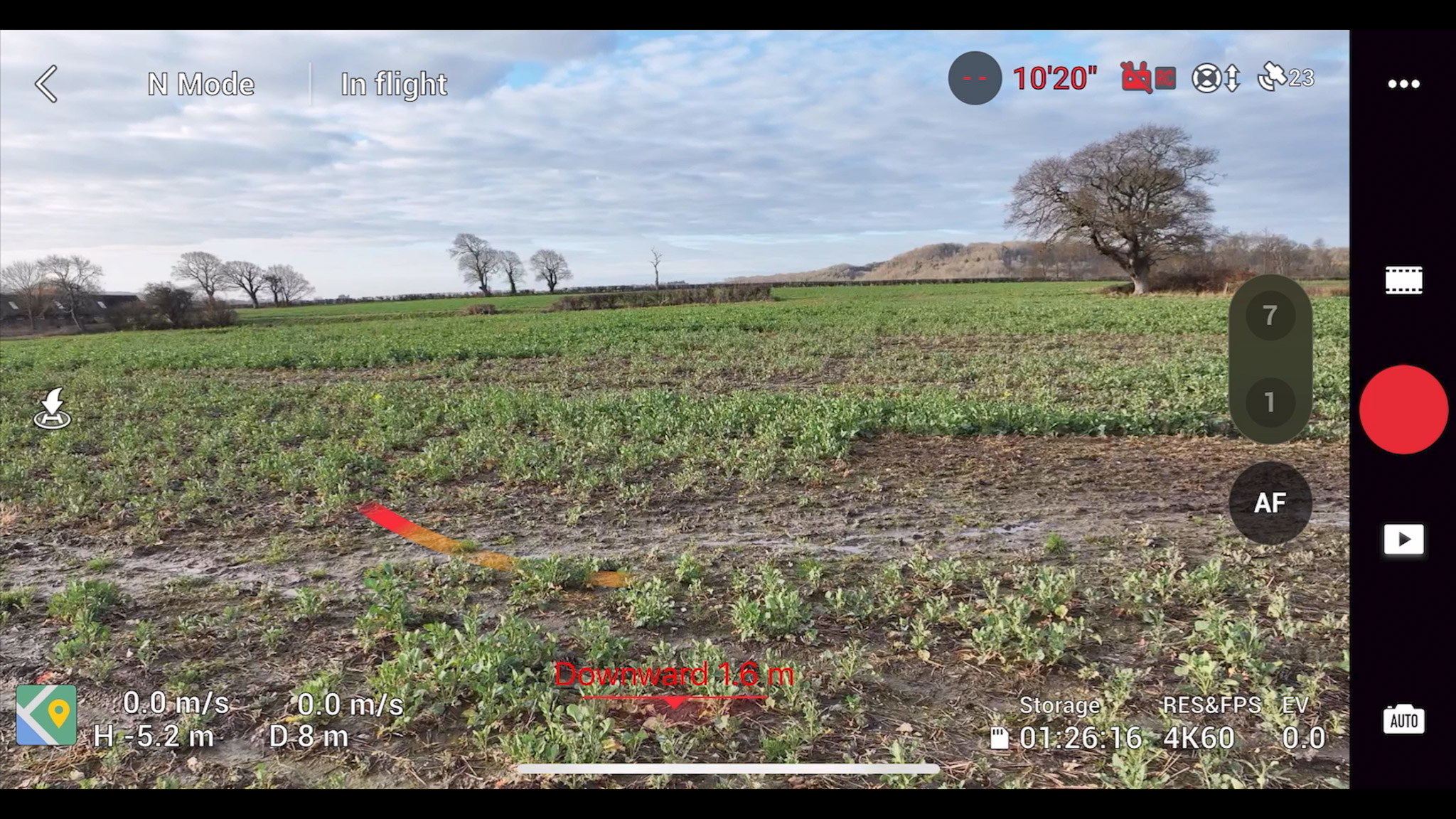
Screenshot of the user interface of the DJI Fly app controlling the Mavic 3
Normal Mode: The default and most balanced way to fly the Mavic 3. It smooths the motors the most and gives you access to the drone’s full safety feature set, including obstacle avoidance and the Advanced Pilot Assistance System. Best for everyday flying, general photography and video, and beginner pilots needing maximum safety.
Cine (Cinematic) Mode: Designed specifically for video work. It slows down the drone’s movements and softens stick inputs, making pans, tilts and tracking shots look more natural and controlled. Best for when you’re prioritising shot quality over speed, especially for professional-looking footage.
Sport Mode: Sport mode unlocks the Mavic 3’s full-speed performance, enabling it to fly much faster and more aggressively. However, this comes with an important trade-off. Obstacle avoidance sensors are disabled, and flying requires confident manual control. Not recommended for new pilots. Make sure you always maintain a clear line of sight and have plenty of space between the drone and objects.
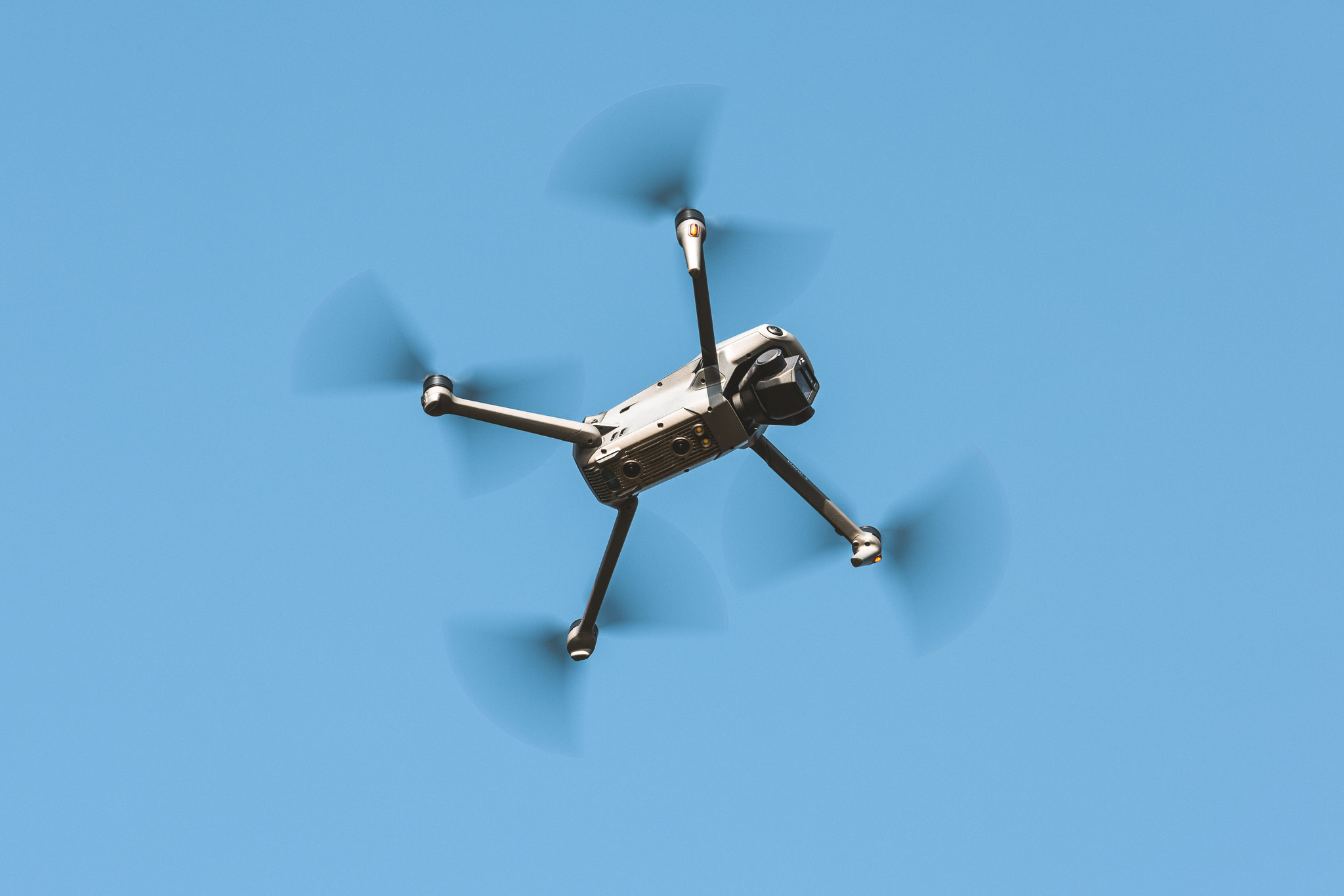
Used DJI Mavic 3 in flight
Gimbal and Camera Movement
The Mavic 3 is kitted out with an invaluable three‑axis gimbal, which greatly increases the smoothness of video footage. It features a 90‑degree downward tilt, making it possible to capture bird’s‑eye‑view (looking downwards to earth) shots, as well as a 35‑degree upward tilt. This upward tilt means that even when the drone is flying fast and tilting slightly downward, it is still possible to capture lovely level shots.
Without this gimbal, the drone’s footage would be very shaky and in most use cases unusable. But as you can see in our sample clips video the footage looks rock solid.
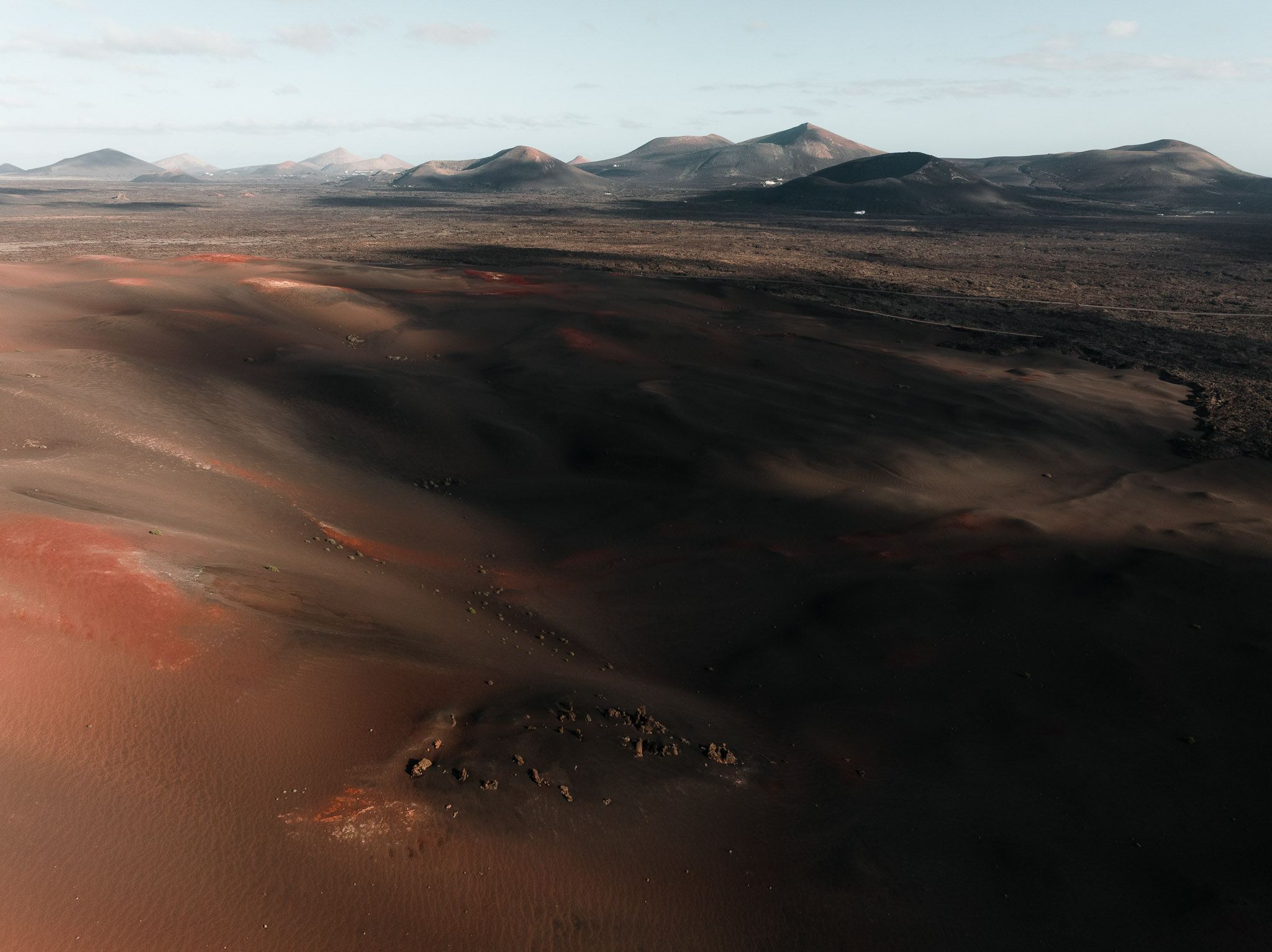
Ian Howorth | DJI Mavic 3 | 12.3mm | f/8.0 | 1/125 sec | ISO 400
Speed and Range
The Mavic 3 is extremely fast, with a top speed of 47 miles per hour, far faster than most people will ever need. It also offers an impressive range of nearly 10 miles, although it is always recommended to keep the drone within line of sight.
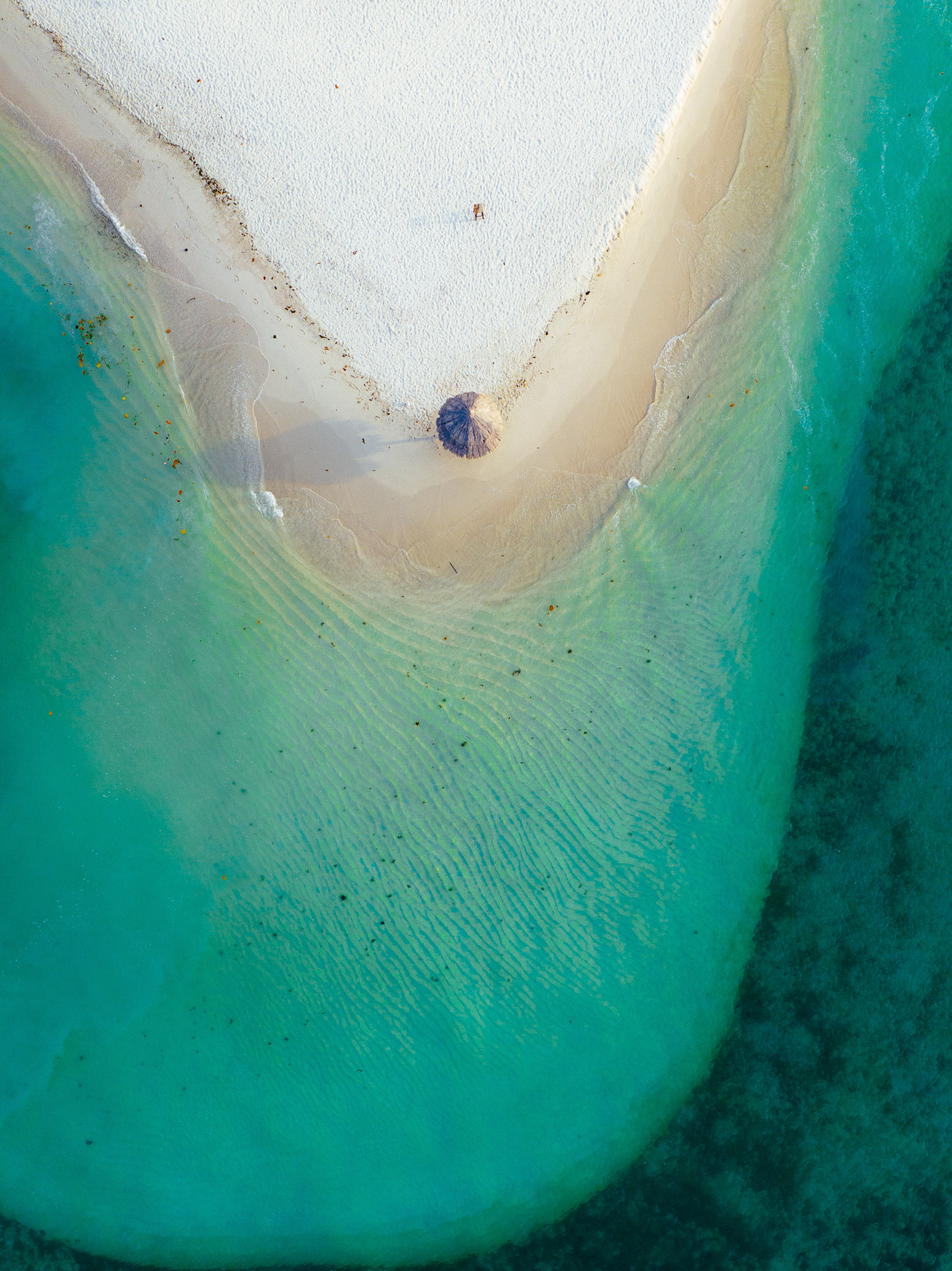
Andy Unwin | DJI Mavic 3
Safety Features
Safety is always paramount when flying a drone, and the Mavic 3 includes several helpful features. In addition to obstacle‑avoidance sensors, it has a FlySafe mode, which prevents the drone from taking off in no‑fly areas. The drone also includes AirSense, a receiver that detects transmissions from nearby aircraft, adding further reassurance and visibility of other aircraft in the area.
With so many sensors, the Mavic 3 is more flexible to fly in certain areas of the world. It is always important to check local regulations, but the safety features DJI has built into the drone offer greater flexibility in many regions.
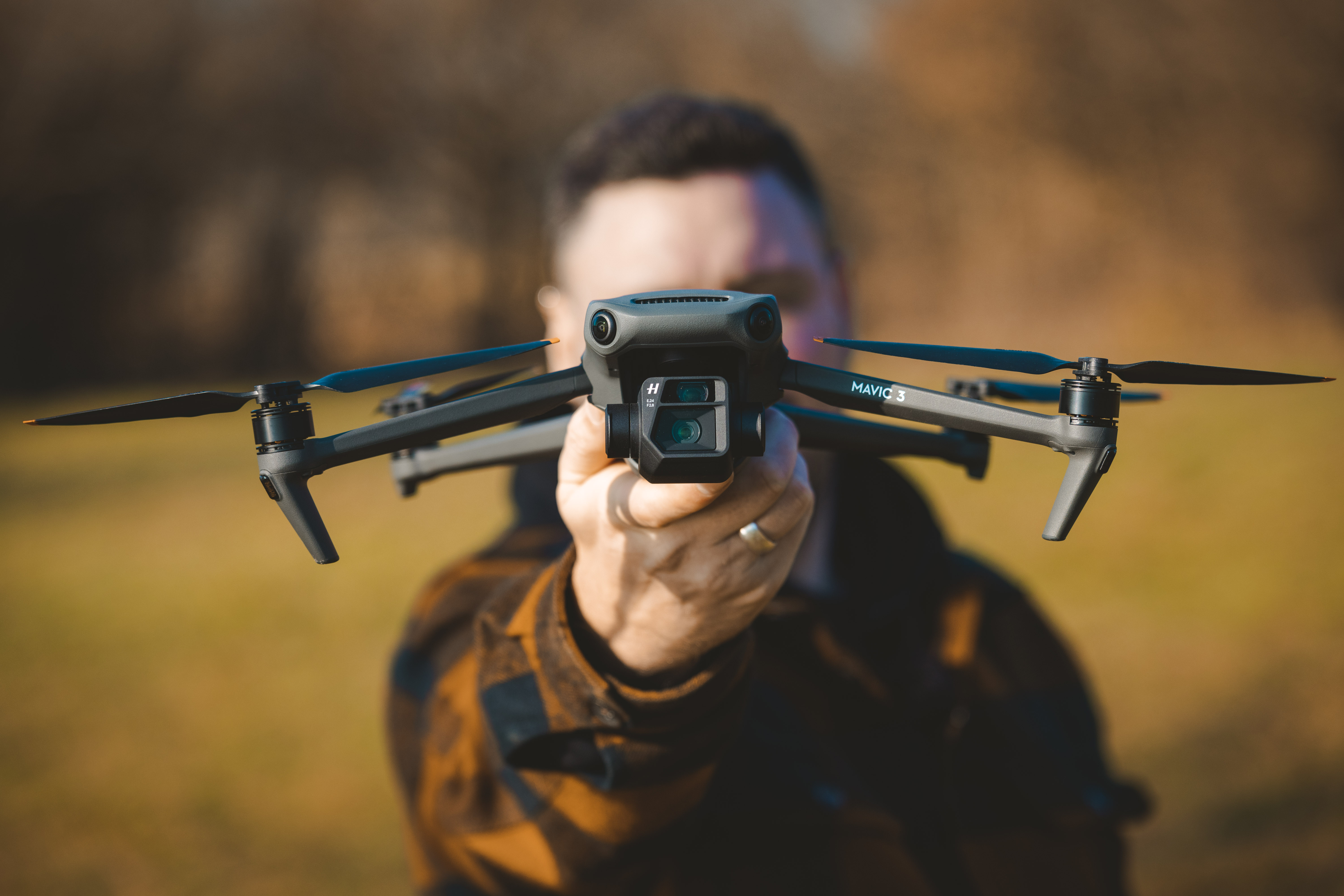
Used DJI Mavic 3
Do I need a licence to fly a DJI Mavic 3 or Mavic 3 Pro?
You don't need a pilot's licence to fly a DJI Mavic 3 for fun in the UK, but you do need a Flyer ID and an Operator ID because it weighs more than 250g. Where you can fly it depends on its class mark, which changed under new UK rules on 1 January 2026.
UK drone rules for the Mavic 3
Registration: a Flyer ID (a free online test) and an Operator ID (a yearly fee) are required for any drone from 250g to under 25kg.
Class mark: the Mavic 3, Mavic 3 Cine and Mavic 3 Classic carry the EU C1 class mark, which the UK recognises as UK1 until 31 December 2027. A UK1 drone can fly in the A1 subcategory over uninvolved people, but never over crowds.
Without a C1 label: a Mavic 3 that hasn't had the C1 firmware and label counts as a legacy drone and is flown by weight.
After 2027: unless DJI offers a UK class mark, C1 drones are treated as legacy drones from 1 January 2028.
Remote ID: required now for UK class-marked drones, and for legacy camera drones over 100g from 1 January 2028.
Night flying: a green flashing light must be switched on.
Always: stay below 120m and keep the drone in visual line of sight.
The Mavic 3 Pro weighs 958g, so it carries the C2 mark instead. It needs an A2 Certificate of Competency (A2 CofC) to fly near people; without one, it's limited to flying far from people (A3).
We recommend reading the Heliguy guide on UK drone laws before you start flying.
Design and Battery Life
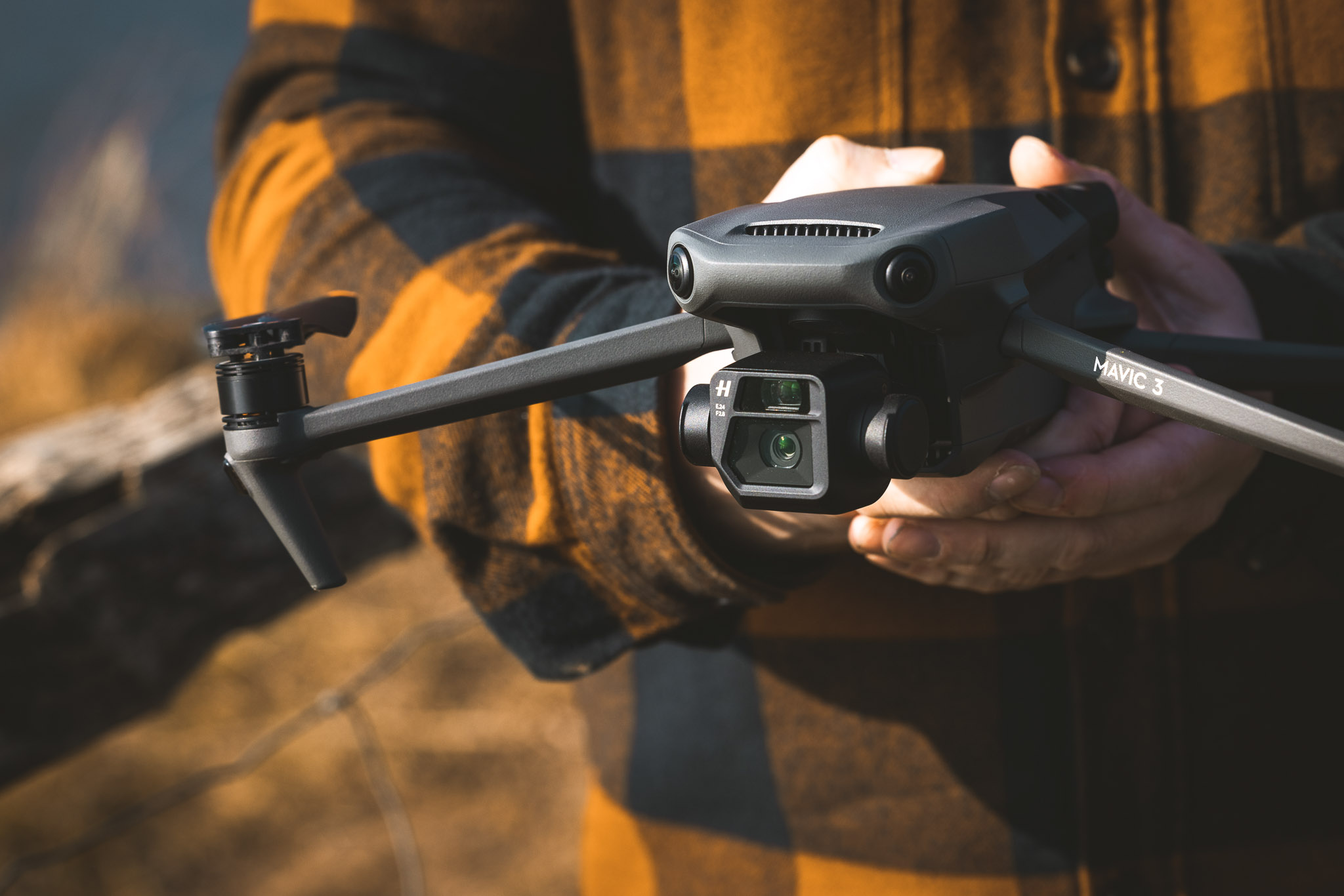
The Mavic 3 has a redesigned body compared to the Mavic 2, featuring a sleeker, more aerodynamic design that feels more refined. It is slightly larger than the Mavic 2, mainly due to its larger-capacity battery. This larger battery allows the Mavic 3 to fly up to 46 minutes on a full charge, a significant improvement that makes a real difference when flying or filming for extended periods.
In terms of weight, the DJI Mavic 3 has a take-off weight of approximately 895 grams. Weight is a very important factor in the drone world, as it can directly affect how and where you are legally allowed to fly. Heavier drones often fall into stricter regulatory categories in many regions, which can limit where they can be flown and may require additional qualifications or certifications.
Used DJI Mavic 3
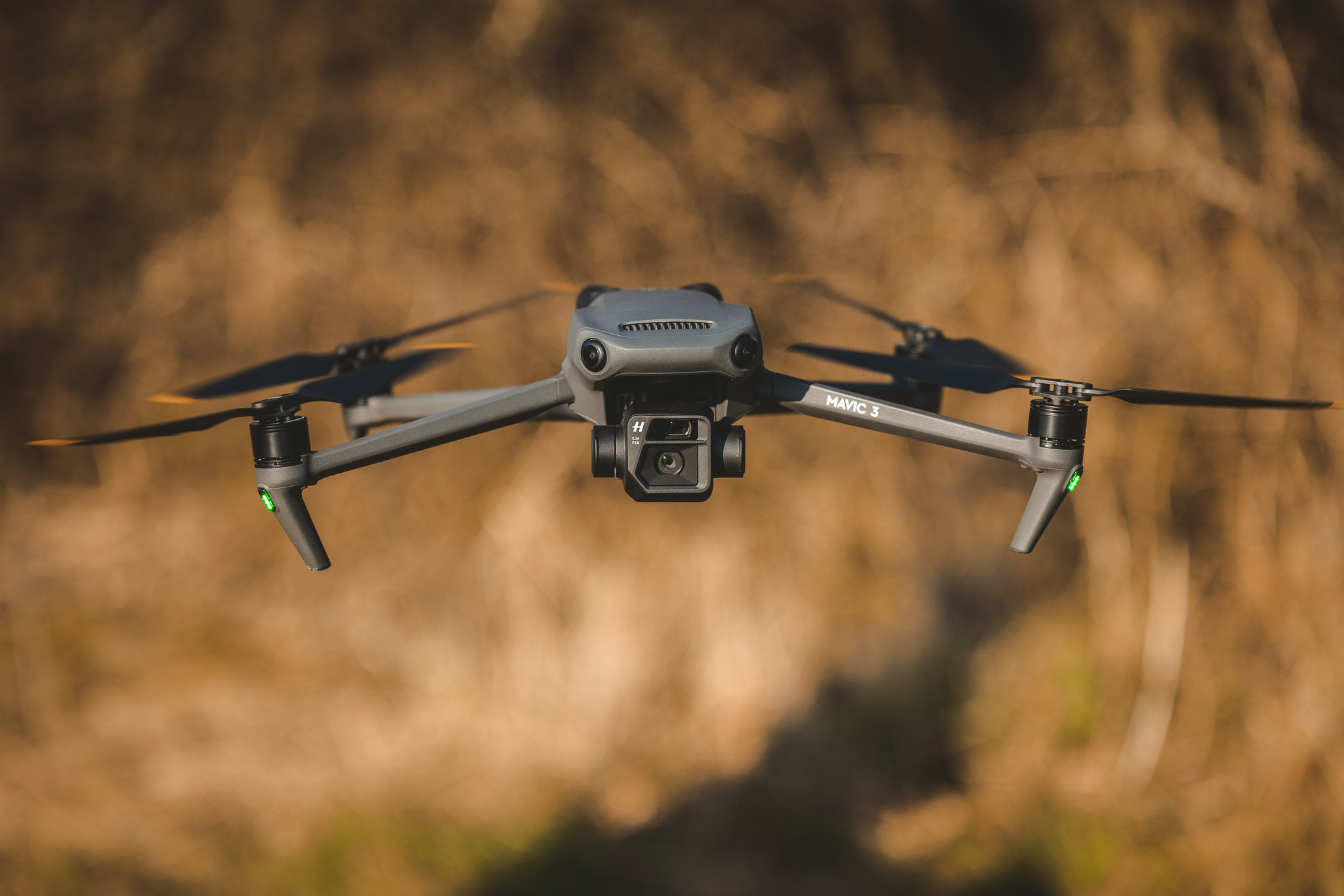
That said, the added weight of the Mavic 3 also brings clear benefits. A heavier drone is often more stable in the air, particularly in windy conditions, and the Mavic 3 feels very solid and confident when flying. Combined with the improved battery life and advanced safety systems, the overall design strikes a balance between performance, stability and endurance.
DJI Mavic 3 Family Comparison
The DJI Mavic 3 range includes several variants designed for different users and use cases, from high-end content creators to enterprise and cinema pros. While they share a similar airframe and flight performance, the key differences lie in camera systems, codecs and professional features.
Used DJI Mavic 3 Pro
DJI Mavic 3 Model Variants Compared
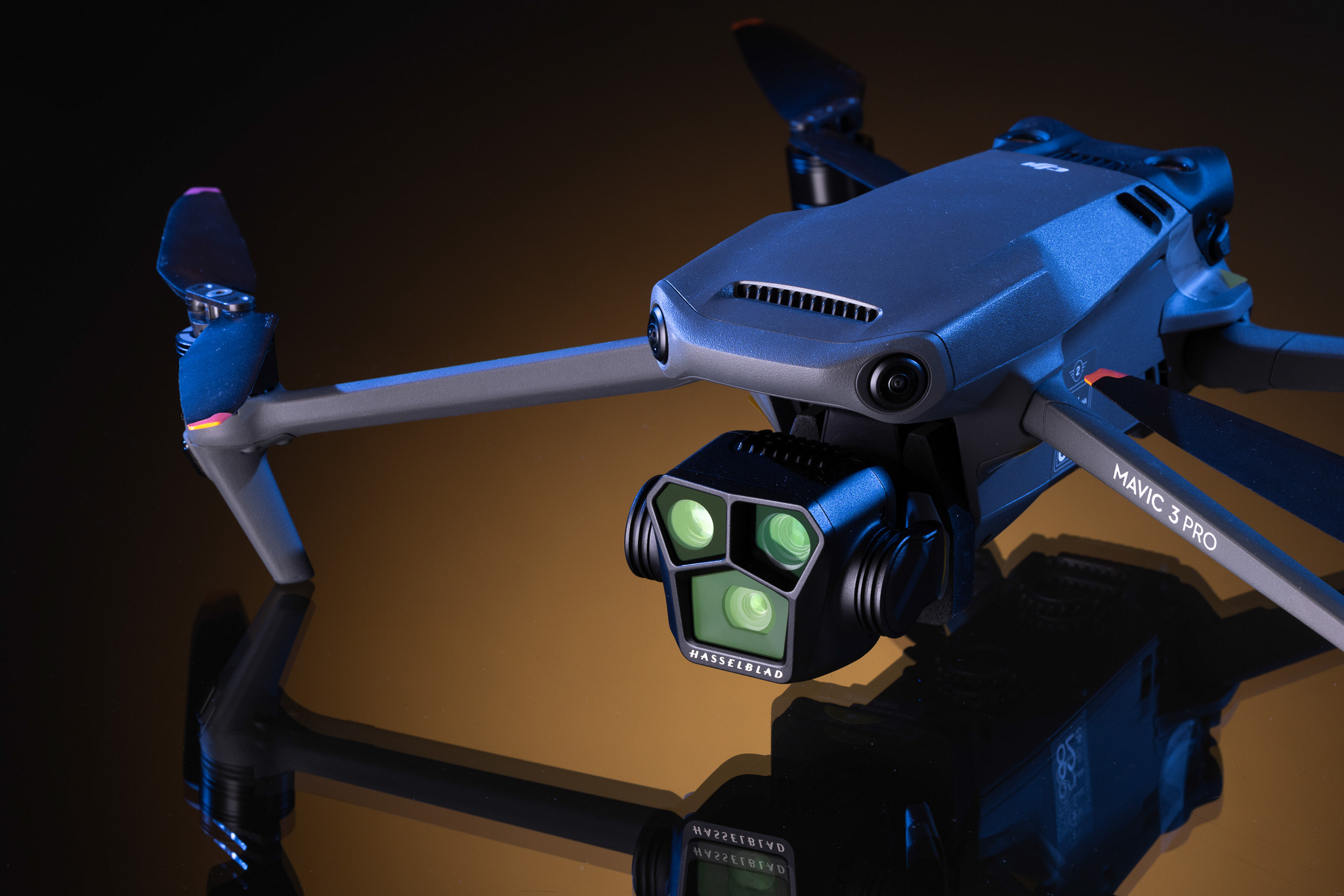
What are the main differences between the DJI Mavic 3 family of drones? Let’s start with the three models: the Pro, Standard and Classic. The main difference between them is the number of cameras on each.
The DJI Mavic 3 Classic comes with a single 4/3 Hasselblad camera. The DJI Mavic 3 includes two cameras, a 4/3 Hasselblad main camera and a 162mm telephoto camera (7x optical zoom). And finally, the DJI Mavic 3 Pro features a triple-camera setup: the same main 4/3 Hasselblad camera as the rest, a 70mm medium telephoto lens, and a 166mm super telephoto lens.
Then there is also the DJI Mavic 3 Cine Premium, which is just like the Pro but with extra features for professional filmmakers, like Apple ProRes 422 HQ encoding and a built-in 1TB SSD.
For the best low-light performance and versatile framing, the Mavic 3 Pro is the top choice. For professional video, the Cine version is best, and for high-quality general photography, the Classic is the most cost-effective option.
Used DJI Mavic 3
For a cheaper alternative to all of the Mavic 3 family of drones, check the previous generation of Mavic 2 drones. Read our DJI Mavic 2 Pro review to see if the older cousin may be a better option.
Drawbacks
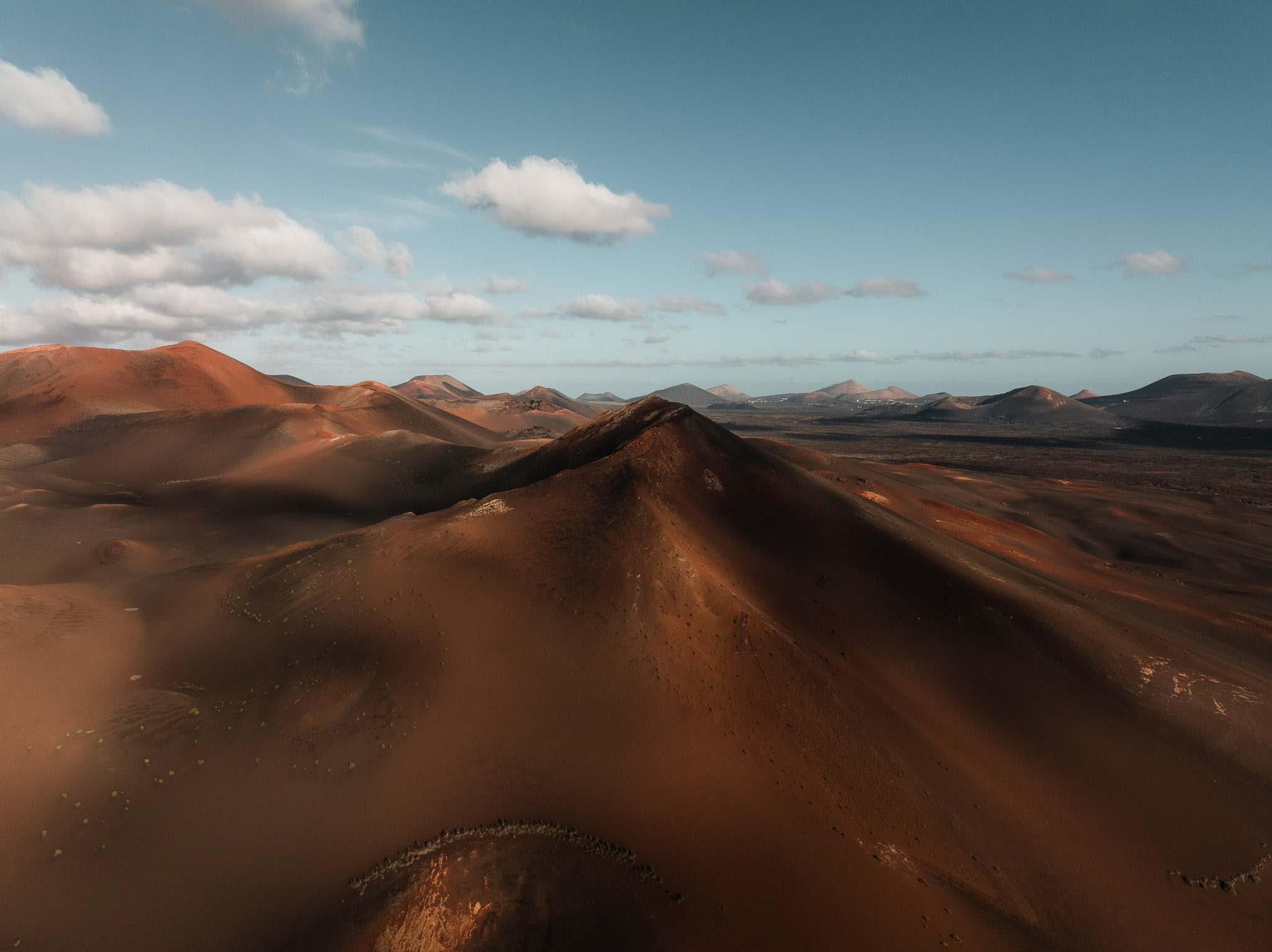
During testing, there was a small amount of sharpness fall‑off towards the edge of the frame in both images and video. This is not a major issue, and the footage is still very usable, but it may be noticeable to more critical viewers.
Another thing to consider is that if the FlySafe system lacks information on the rules and regulations in your area, the drone may not launch at all. Finally, cost is a major consideration. The Mavic 3 is, without doubt, an expensive drone and represents a significant investment, though it does offer a unique feature set.
Ian Howorth | DJI Mavic 3 | 12.3mm | f/8.0 | 1/125 sec | ISO 400
Should you buy the Mavic 3?
There is no doubt that the Mavic 3 is a fantastic drone. Most likely the best option for enthusiasts. What sets it apart most of all is the safety features and fantastic image quality.
For those considering alternatives, the Mavic 2 still offers excellent image quality at a lower price, however. Other options as well include the Mini 2, a great entry‑level drone that is lightweight and versatile, allowing it to be flown in more places. The Mini 3 Pro is another strong option, remaining lightweight while offering improved image quality and additional features such as vertical video.
The Mavic 3 is a comprehensive upgrade to the Mavic 2. The larger sensor and higher resolution deliver excellent image quality, which is the headline feature. Alongside improved noise performance, particularly in dusk- and dawn-like scenarios, nearly every feature of the drone has been enhanced in one way or another. For the price, the Mavic 3 makes the strongest case for being in the sweetspot of price and performance. It gets our pick for the best overall drone for most people.
FAQs
Is the DJI Mavic 3 discontinued?
Yes, the DJI Mavic 3 is discontinued, and DJI no longer sells it new. Its successor is the Mavic 4 Pro, released in May 2025.
Is the DJI Mavic 3 worth the money in 2026?
Yes, the DJI Mavic 3 is worth buying used in 2026 if you want a Four Thirds sensor and long flight times for less than a new flagship. It isn't worth paying close to its £1,879 launch price.
How far can a DJI Mavic 3 fly?
The DJI Mavic 3 can transmit video up to 15km under FCC rules and 8km in the UK and EU, but UK law requires you to keep it within visual line of sight.
What camera does the DJI Mavic 3 use?
The DJI Mavic 3 uses a 20MP Four Thirds Hasselblad main camera and a 12MP telephoto camera with a 162mm-equivalent lens.
What video can the DJI Mavic 3 record?
The DJI Mavic 3 records up to 5.1K at 50fps and 4K at 120fps, in 10-bit D-Log or HLG.
How long does the DJI Mavic 3 battery last?
The DJI Mavic 3 battery lasts up to 46 minutes in DJI's tests.
Does the DJI Mavic 3 have obstacle avoidance?
Yes, the DJI Mavic 3 has omnidirectional obstacle sensing, which works in Normal and Cine modes and switches off in Sport mode.
Is the DJI Mavic 3 good for beginners?
The DJI Mavic 3 is easy to fly, but most beginners are better off with a sub-250g drone, which costs less and comes with fewer rules.
How does the DJI Mavic 3 compare to the Mavic 2 Pro?
The DJI Mavic 3 is a major upgrade on the Mavic 2 Pro, with a larger Four Thirds sensor, 5.1K video, a telephoto camera and about 15 minutes more flight time.
What are the best alternatives to the DJI Mavic 3?
The best alternatives to the DJI Mavic 3 are the Air 3S for a lighter all-rounder, the Mavic 4 Pro for the best image quality, and the Mini 5 Pro for a sub-250g drone.
Which app does the DJI Mavic 3 use?
The DJI Mavic 3 uses the DJI Fly app for flight control, camera settings and firmware updates.
Can the DJI Mavic 3 shoot RAW photos?
Yes, the DJI Mavic 3 shoots 20MP RAW (DNG) photos on its main camera, the telephoto shoots JPEG.
Can the DJI Mavic 3 live stream?
Yes, the DJI Mavic 3 can live stream through the DJI Fly app using RTMP.
Will DJI drones stop receiving firmware updates?
It depends on the drone, newer models are still being updated, while discontinued ones such as the Mavic 3 are unlikely to get major new features.
Read more camera gear guides on the MPB content hub.
You can sell or trade your camera kit to MPB. Get a free instant quote, free insured shipping to MPB, and get paid within days.